An invisible username uses special Unicode characters that appear blank on screen but are still treated as text by many apps, games, and profile systems. This makes it possible to create a name that looks empty, hidden, or almost invisible.
People use these characters for hidden-looking nicknames, minimalist display names, profile styling, and invisible spacing inside custom usernames. If you want a more general tool, you can also try our blank text copy and paste page or go back to the homepage to explore more text tools.
Best option for invisible usernames in many games and apps.
How to make an invisible username
- Choose one of the invisible characters above.
- Click the copy button.
- Paste it into the username, nickname, or display name field.
- If the platform rejects it, try another character from the list.
Some platforms accept fully blank-looking usernames, while others only allow invisible symbols when combined with visible text. For example, you may be able to place a hidden character before, after, or between letters to create a customized username style.
Best uses for invisible usernames
This type of character is commonly used for more than just empty names. It can also help create subtle formatting effects in profiles and nicknames.
- Invisible usernames in games
- Blank-looking nicknames for Free Fire
- Hidden display names on Discord
- Minimal usernames for Instagram or TikTok
- Invisible spacing inside custom nicknames
- Empty profile name experiments in apps
Invisible username character list
The table below shows different Unicode options you can test. Not every platform accepts the same one, so it is useful to have several alternatives.
| Character Name | Unicode | Preview | Best For |
|---|---|---|---|
| Hangul Filler | U+3164 | [ㅤ] | Most common invisible username character |
| Braille Pattern Blank | U+2800 | [⠀] | Useful backup option for nicknames |
| Halfwidth Hangul Filler | U+FFA0 | [ᅠ] | Alternative invisible name symbol |
| Medium Mathematical Space | U+205F | [ ] | Smaller spacing option |
| Zero Width Space | U+200B | [] | Hidden character used inside visible names |
Invisible username examples
Here are a few ways invisible characters can be used in usernames and nicknames:
- Fully blank-looking name: [ㅤ]
- Invisible gap between letters: ProㅤPlayer
- Invisible start: ㅤShadow
- Invisible end: Ghostㅤ
- Hidden separator: KingX
On some systems, a fully invisible username works. On others, only partial invisibility is allowed. That depends on how the platform validates Unicode characters.
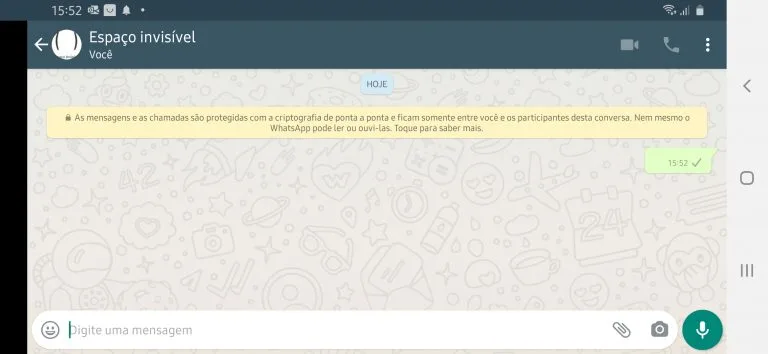
Why an invisible username may not work
Not every app, game, or website supports the same blank character. Some systems block well-known invisible symbols, while others allow only certain Unicode spaces. That is why testing multiple options is important.
If the first copy button does not work for your username, try the Braille Pattern Blank or Halfwidth Hangul Filler next. In many cases, one alternative succeeds where another fails.
Invisible username vs blank text
These terms are closely related, but they are not always used in the same way. Blank text usually refers to invisible characters copied for messages, bios, or formatting. Invisible username is a more specific use case focused on nicknames, profile names, gamertags, and display names.
So while the characters can be similar, the search intent is different: one is about empty text in general, and the other is about creating a hidden-looking user identity on a platform. If you want the broader version, visit Blank Text Copy and Paste.
Helpful resources
You can learn more about Unicode character sets on the official Unicode charts website, or continue browsing our own tools for copy-and-paste text utilities.