Blank text is a special Unicode character that looks empty but can still be copied and pasted into games, apps, bios, and messages. It is useful when you want to create an invisible nickname, send an empty-looking message, or add hidden spacing in text.
Below you can copy the most popular blank text characters instantly:
How to use blank text
Using blank text is simple: click a copy button, then paste the invisible character where you want to use it. Depending on the platform, it can work for nicknames, bios, blank messages, usernames, and formatting tricks.
Where blank text can be used
Blank text is commonly used in:
- Free Fire nicknames and clan names
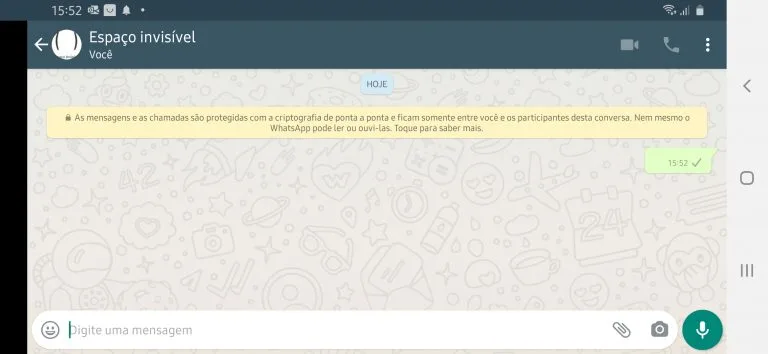
- WhatsApp blank messages
- Instagram bio formatting
- TikTok profile names
- Discord invisible names
- Custom text formatting in apps and games
Blank text examples
These examples help you understand how the copied text behaves:
| Name | Unicode | Example | Use Case |
|---|---|---|---|
| Hangul Filler | U+3164 | [ㅤ] | Best for games and nicknames |
| Braille Pattern Blank | U+2800 | [⠀] | Alternative blank character |
| Medium Mathematical Space | U+205F | [ ] | Smaller blank space |
| Halfwidth Hangul Filler | U+FFA0 | [ᅠ] | Medium blank text option |
| Zero Width Space | U+200B | [] | Invisible inside text |
Unlike regular spaces typed on a keyboard, these characters are special Unicode symbols. That is why some websites, apps, and games accept them even when they reject normal spaces.
Why blank text does not always work
Some apps update their rules and stop accepting certain invisible Unicode characters. If one blank symbol does not work, try another one from the table above. The Hangul Filler (U+3164) and Braille Pattern Blank (U+2800) are the most common alternatives.
Frequently Asked Questions
Answers about blank text, invisible characters, and empty symbols.