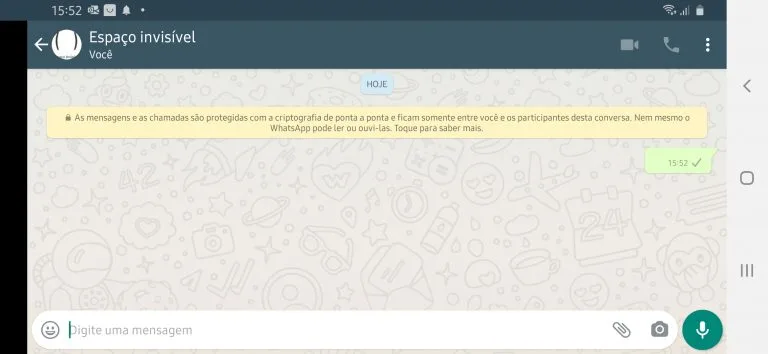
A blank WhatsApp message is usually created with a special Unicode character that looks empty but is still recognized as text. That makes it possible to send a message that appears blank instead of using visible letters or numbers.
Many people look for this when they want to send an empty-looking reply, test invisible text, or create spacing effects in chats and statuses. If you want a broader tool for hidden Unicode symbols, you can also visit our blank text copy and paste page or return to the homepage.
This is the most common option for sending a blank-looking WhatsApp message.
How to send a blank WhatsApp message
- Tap one of the copy buttons above.
- Open WhatsApp and enter the chat where you want to send the message.
- Paste the invisible character into the message box.
- Send it as a normal message.
In many cases, WhatsApp does not accept a truly empty message typed with a normal keyboard space. That is why people use invisible Unicode characters instead of regular blank spaces.
Why a blank WhatsApp message works
A normal keyboard space is often ignored when a platform checks whether a message is empty. But some Unicode characters are treated differently. They look blank on screen, yet they still count as content in certain text fields.
This is why a message can appear empty even though it technically contains a character. The result is not a real empty message, but an invisible-text message that looks blank to the eye.
Related pages
When people use blank messages on WhatsApp
Blank-looking messages are usually used for light formatting tricks rather than regular conversation. Common examples include:
- sending an empty-looking message as a joke
- testing whether invisible Unicode characters work on a device
- creating spacing for copied text layouts
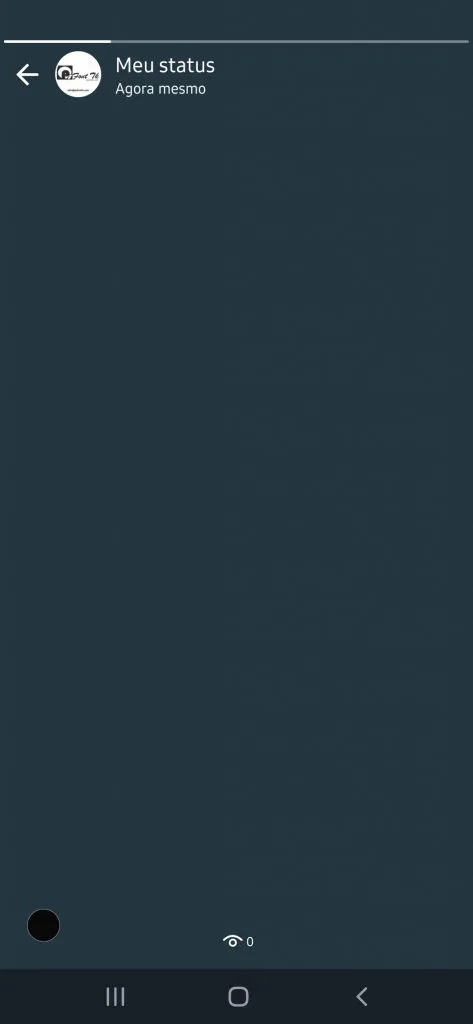
- using blank-looking characters in status or bio text
- checking which Unicode blank symbol is accepted
Best blank characters for WhatsApp
Not every invisible Unicode character behaves the same way. Some are better for messages, while others work better inside names or formatting. These are the most useful ones to test:
| Character Type | Example | Use |
|---|---|---|
| Hangul Filler | [ㅤ] | Most popular for blank-looking messages |
| Braille Pattern Blank | [⠀] | Good backup if the main one fails |
| Medium Mathematical Space | [ ] | Smaller invisible spacing option |
| Zero Width Space | AB | Useful inside visible text, not always best alone |
Why your blank WhatsApp message may fail
If your message does not send, the app may be ignoring that specific Unicode character, your keyboard may have inserted extra formatting, or the clipboard may not have copied the symbol correctly.
Try these fixes:
- copy the character again from this page
- use the double or triple blank option
- try the alternative blank character
- paste into a notes app first to make sure something was copied
- remove extra visible spaces before sending
Blank WhatsApp message vs empty message
These are not exactly the same thing. An empty message would contain nothing at all. A blank WhatsApp message normally contains an invisible Unicode symbol, so the app sees content even though the chat bubble looks empty.
That difference matters because WhatsApp may reject a truly empty input but still accept invisible Unicode text under some conditions.
Helpful tip
If one character does not work on your phone, do not assume blank messages are impossible. Different devices, keyboards, app versions, and Unicode characters can behave differently. Testing more than one option usually gives the best result.